Troubleshoot GoHighLevel → Tuco Message Delivery Issues (Message Not Sent, Follow-Up Skipped, Delayed, Queued)
Learn how to troubleshoot message delivery between GoHighLevel and Tuco. This guide explains how to use GoHighLevel Execution Logs and Tuco Activity Logs to determine why a message was sent, skipped, delayed, queued, deduplicated, or rescheduled.
👉 Prefer a plain checklist? See Why didn't my contact get a message?
Common Issues
No phone number, or number in the wrong field
The most common reason a contact isn't messaged is that Tuco has no phone number it can read. Tuco reads the standard phone field. If the real number lives in a custom GHL field (e.g. “Mobile”, “Cell”, “Phone 2”), map that field to phone so Tuco imports it — otherwise the send fails with missing_recipient.
- Open the contact in Tuco and confirm a phone number is present.
- If it's blank, fix the field mapping and re-sync.
Message Deduped
Tuco prevents accidental duplicate sends.
There are two layers of deduplication:
- GoHighLevel may cache identical requests within the same workflow execution.
- Tuco deduplicates identical messages sent to the same contact within a 24-hour window.
If you're testing with a single contact:
- Change the message (e.g. "Hi" → "Hey").
- If sending an attachment, upload a new copy instead of reusing the existing file.
You can upload new attachments at:
Line Offline
Occasionally Apple temporarily marks a Mac sender as inactive.
When this happens:
- Tuco automatically retries the message.
- The retry is visible in the Activity Logs.
- No manual action is usually required unless the line stays offline. If new/cold recipients stop delivering while existing conversations still work, see Line health & Apple restrictions.
Daily Line Limit Reached
Each Tuco line can initiate conversations with up to 50 new contacts per day.
If this limit is reached:
- The message is automatically rescheduled (not dropped).
- It will be sent at 9:00 AM the following day using your workspace timezone.
The default workspace timezone is US Eastern Time.
To change your workspace timezone:
Missing Template Variable
A template variable used in your message is empty.
Example:
Hi {{name}}If {{name}} does not exist for the contact, the message cannot be rendered correctly.
Verify that:
- The variable exists.
- The field contains a value.
- The variable name is spelled correctly.
Still Having Issues?
Review:
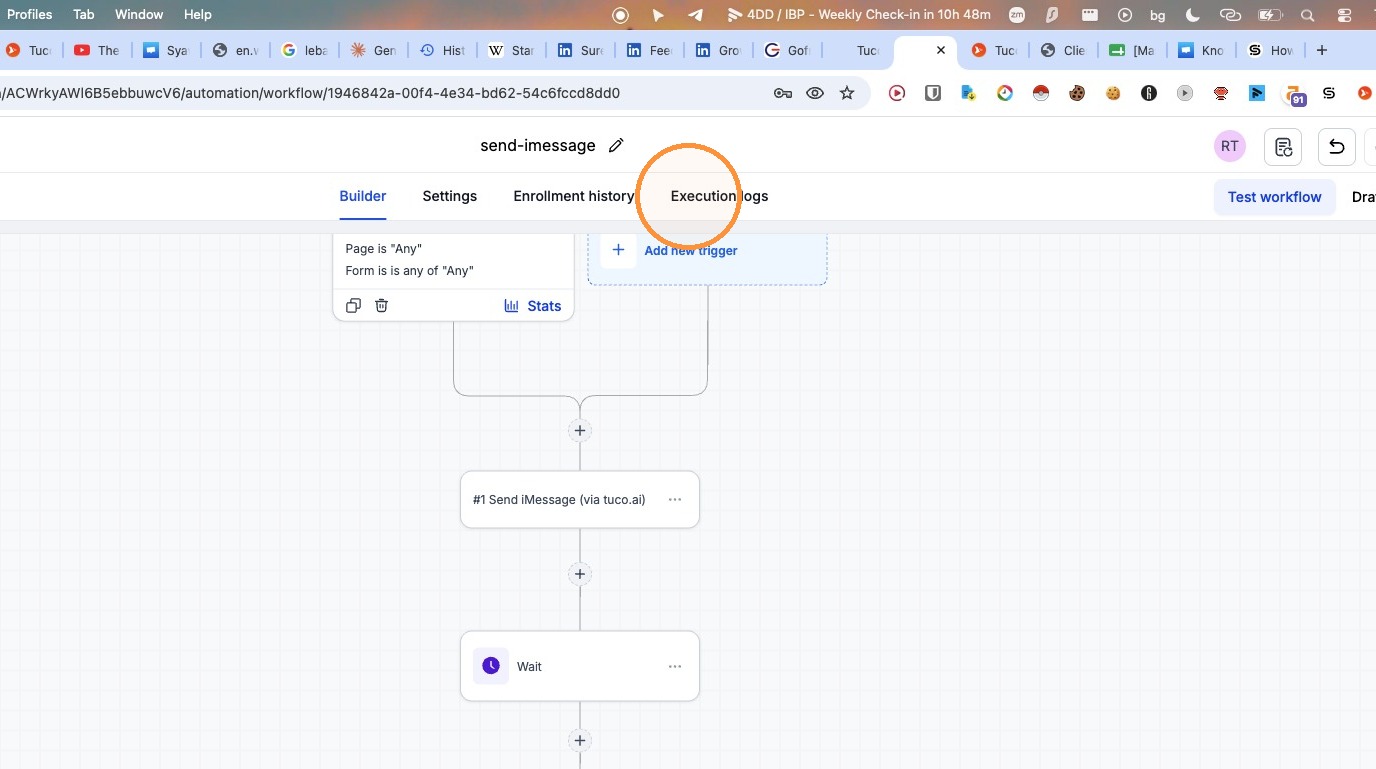
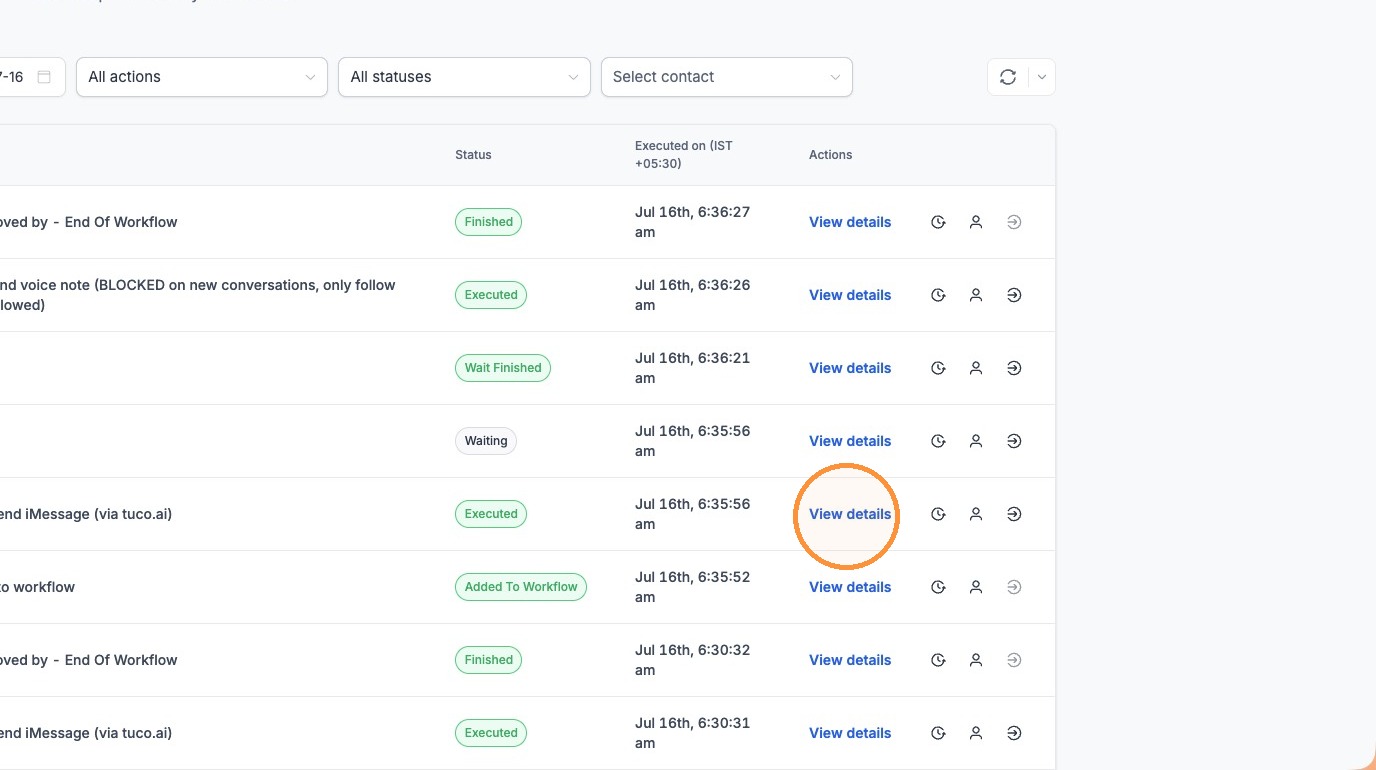
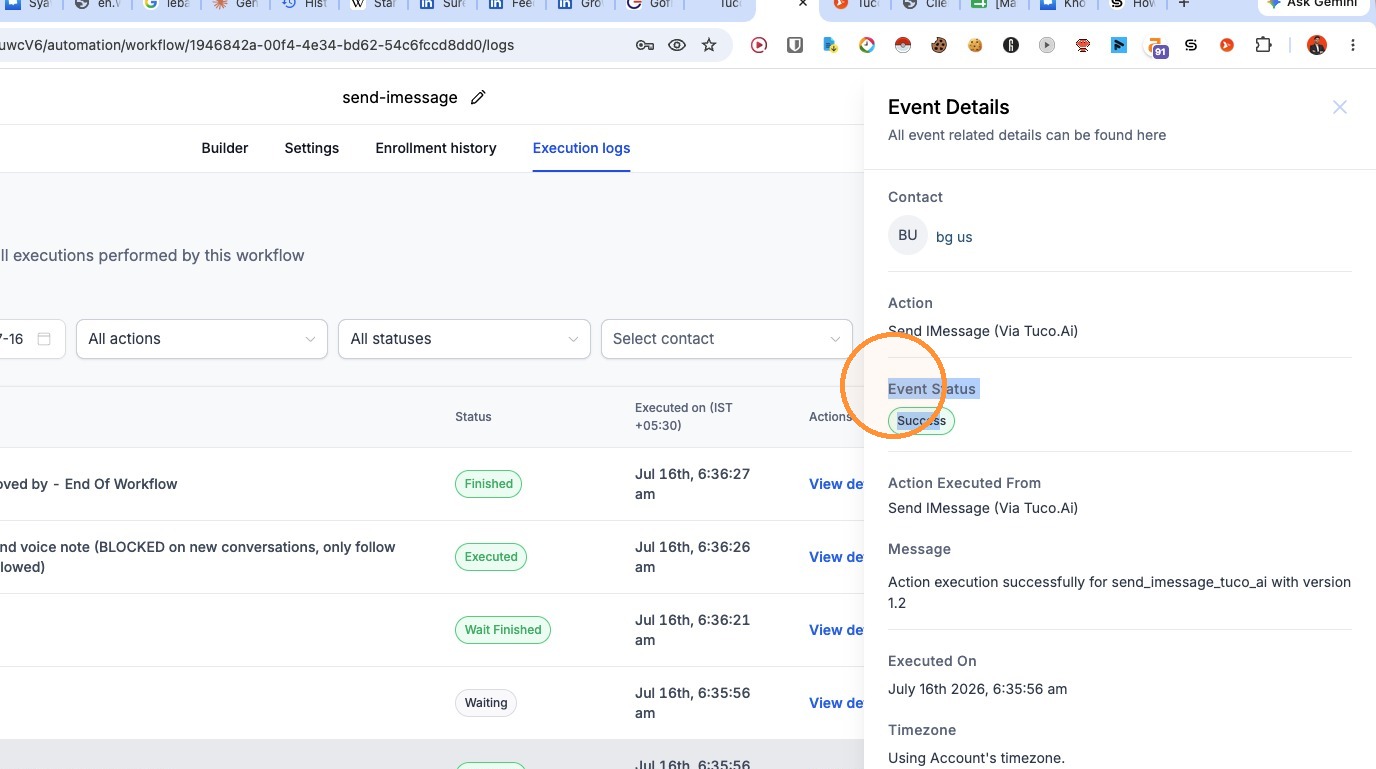
- GoHighLevel Execution Logs
- Tuco Activity Logs
- Any error message shown in either system
Troubleshoot GoHighLevel → Tuco Message Delivery Issues
- Navigate to the "Execution logs" tab.
- Click "View details" for the specific workflow execution.
- Review the "Event Status" and message details in the side panel.
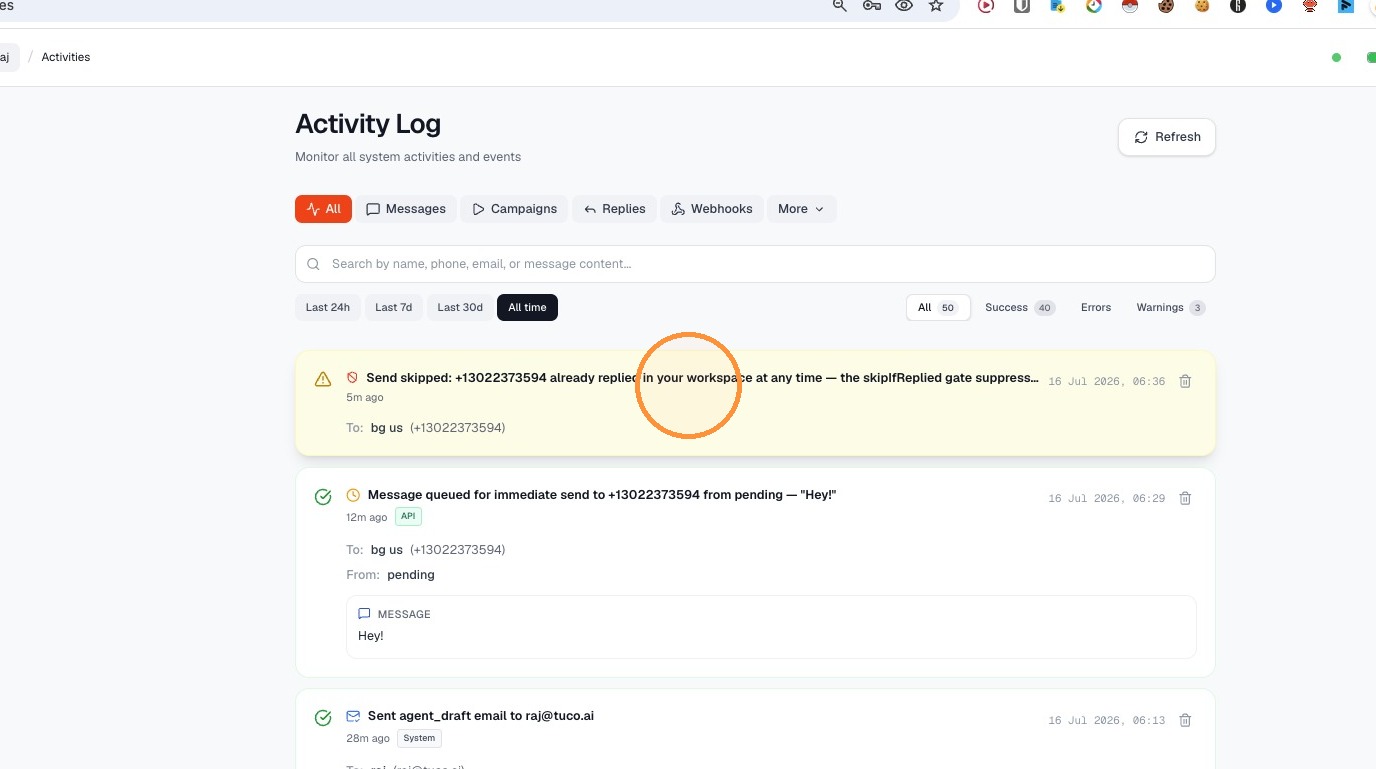
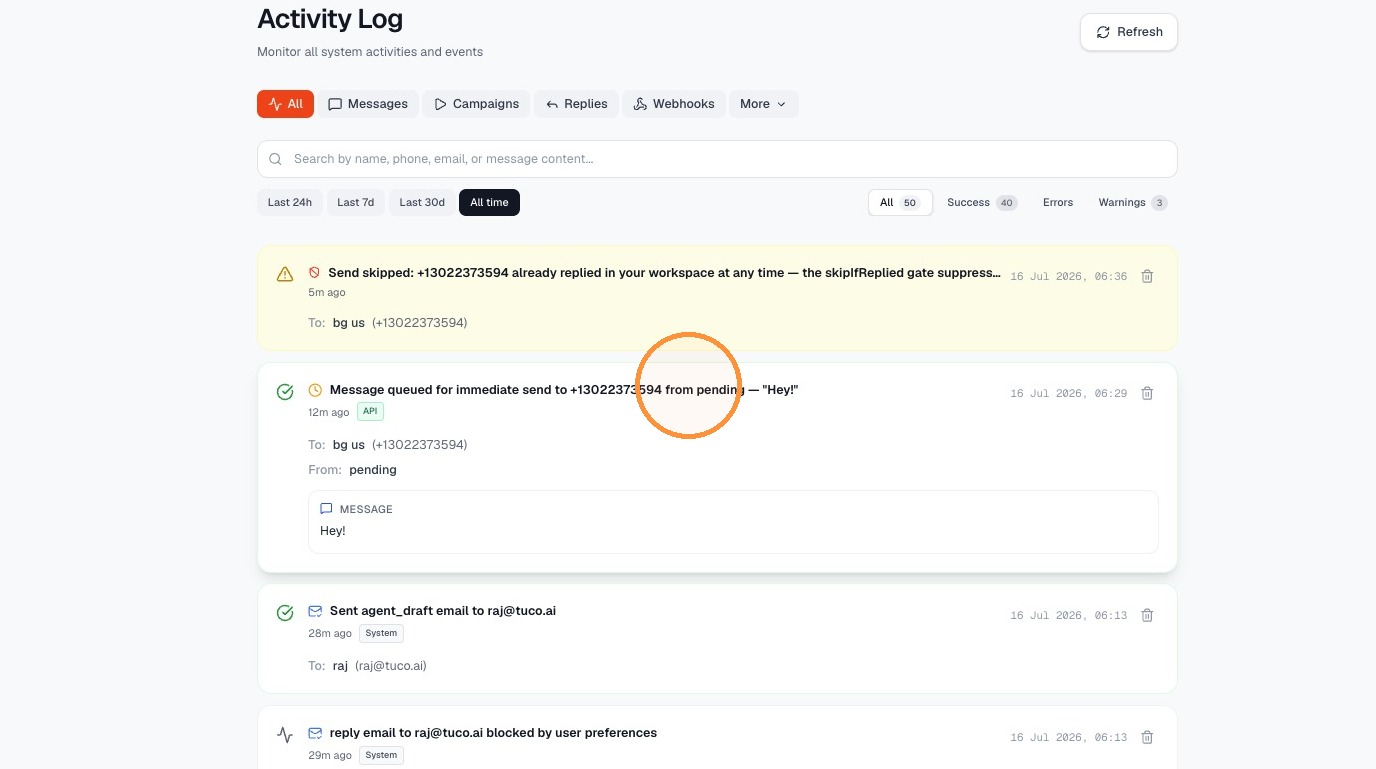
- Navigate to the Tuco AI dashboard.
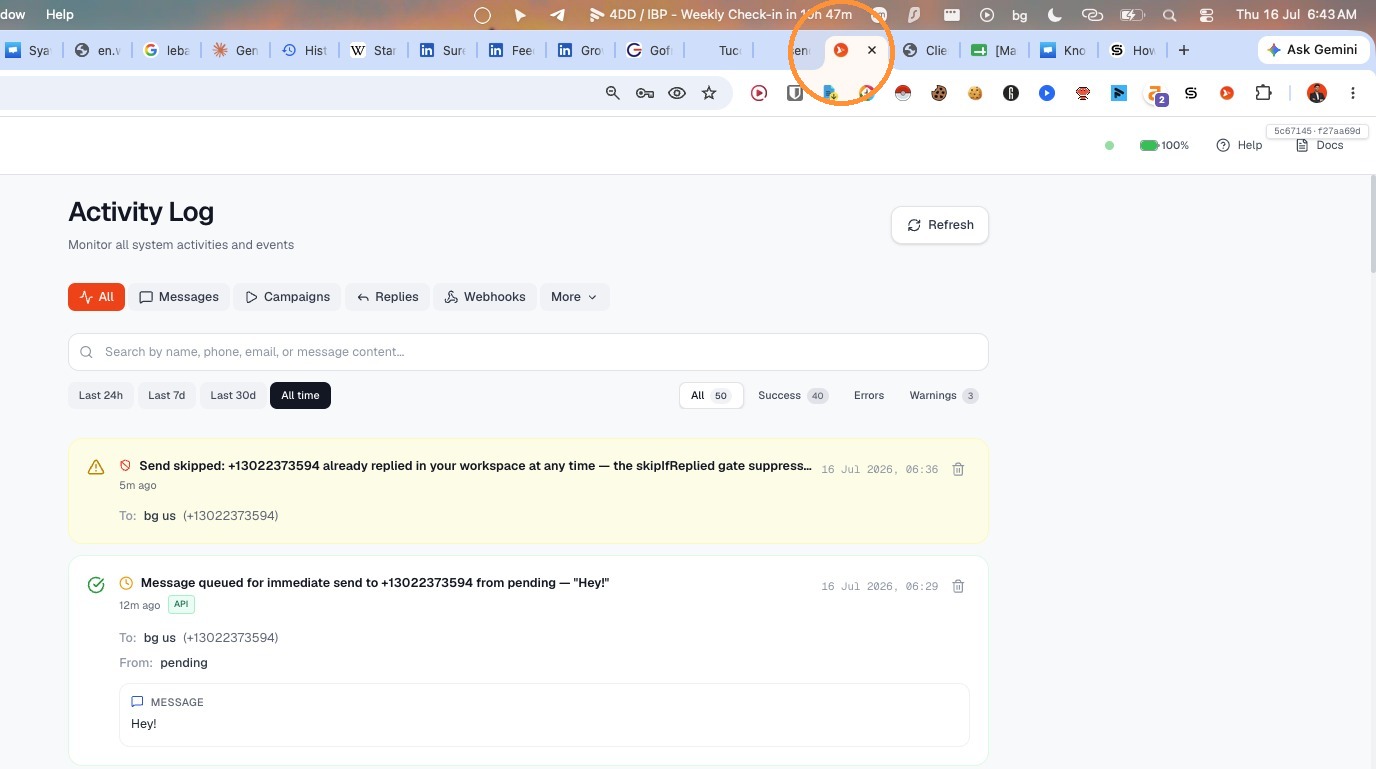
- Select the log entry for the skipped message.
- Select the log entry for the queued message.
Made by Tuco Support with Scribe
Updated on: 25/08/2026
Thank you!