How to reply to an iMessage inside of Go High Level using the Tuco AI Lead Connector Plugin?
How to reply to an iMessage from Tuco AI using GHL integration
Made by Tuco Support with Scribe
Learn how to quickly navigate your messaging interface to compose and send imessage communications using tuco.ai inside of Go High Level CRM. This guide provides a straightforward walkthrough to ensure your messages are sent successfully and efficiently.
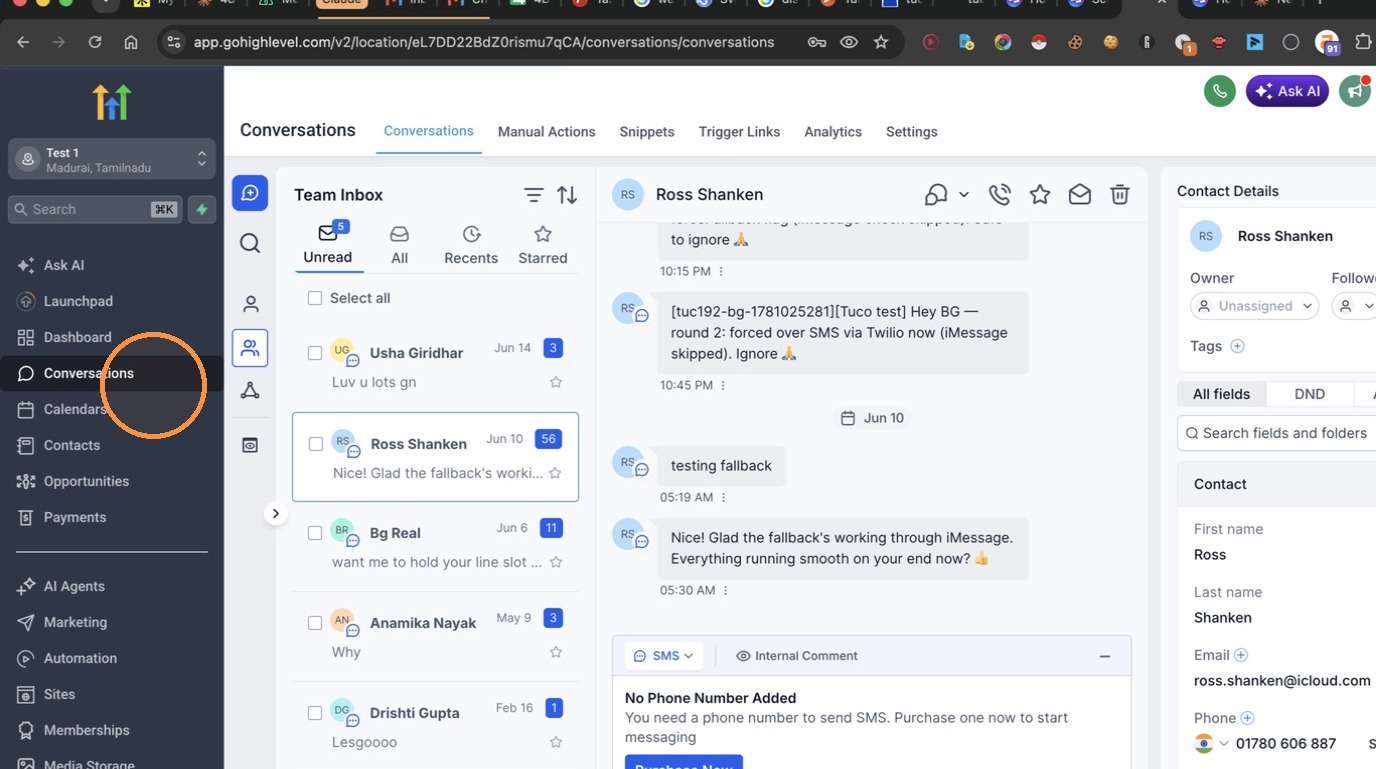
- Click Conversations
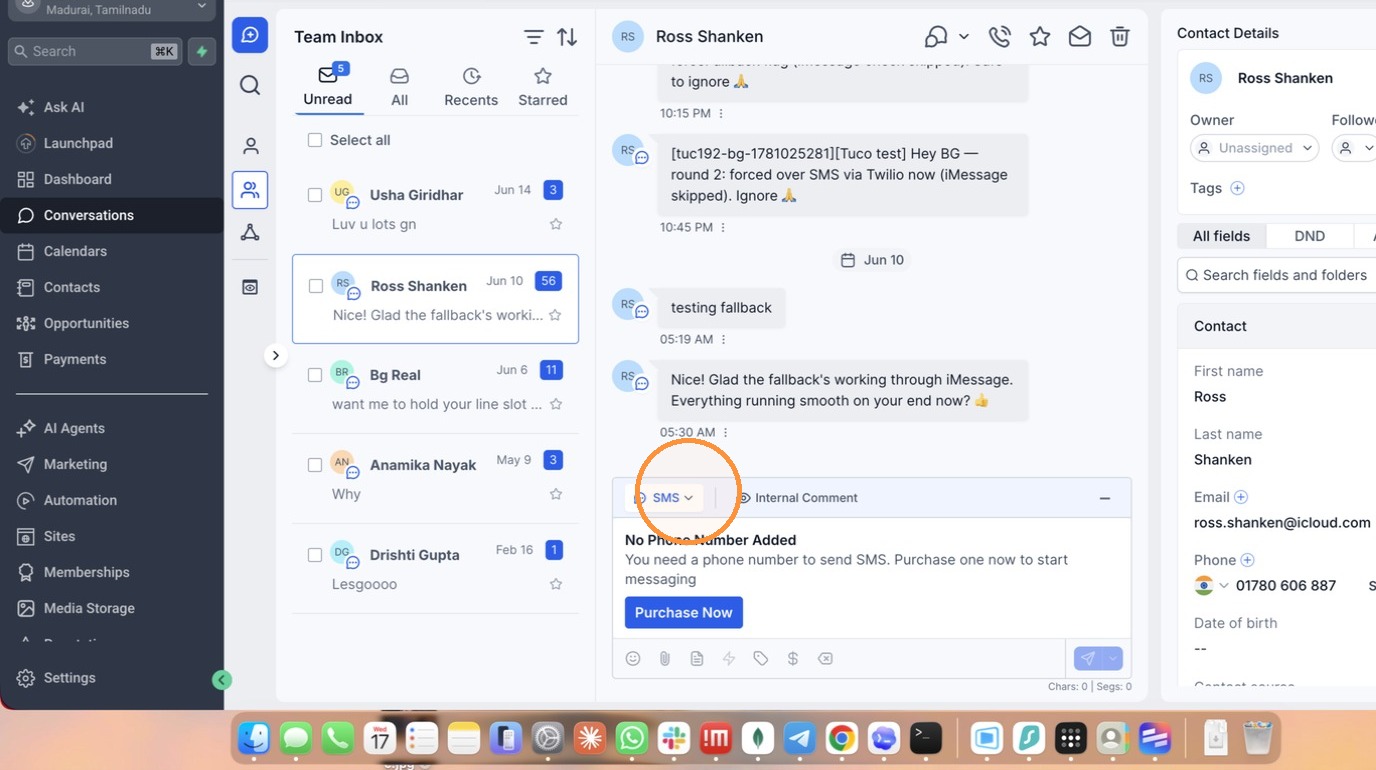
- Click the channel selection dropdown
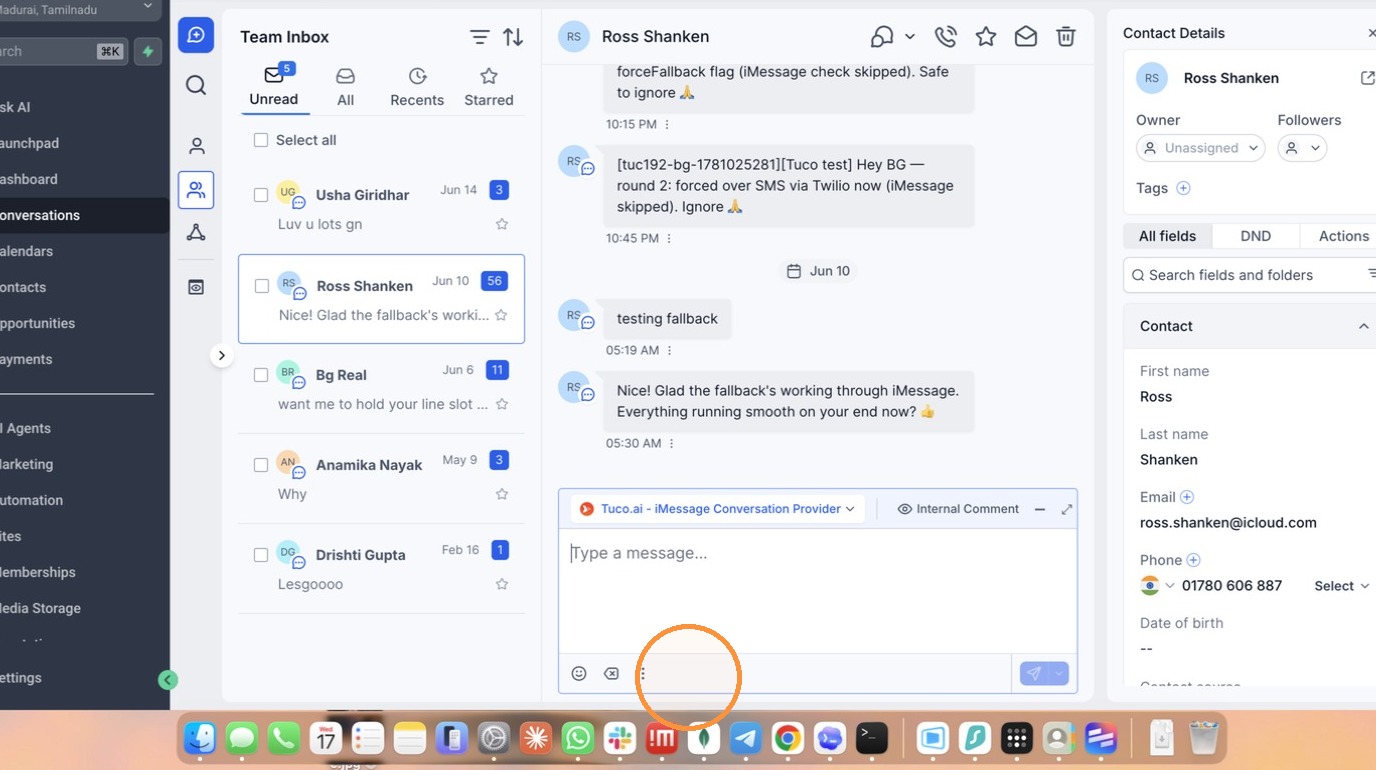
- Select 'Tuco.ai - iMessage Conversation Provider'
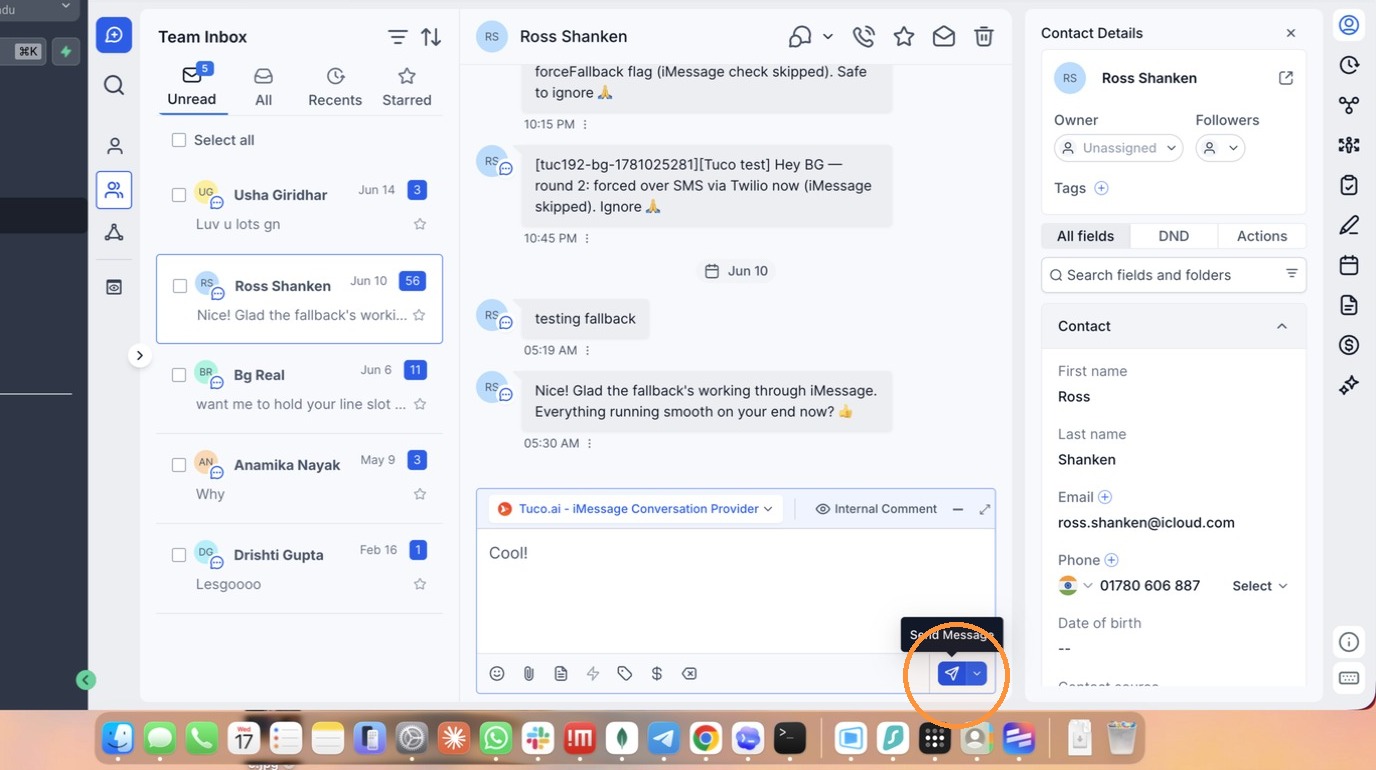
- Click Send Message
Made with Scribe
Updated on: 14/07/2026
Thank you!